
Give the Retail Head a Weekly Picture of Every Store's People
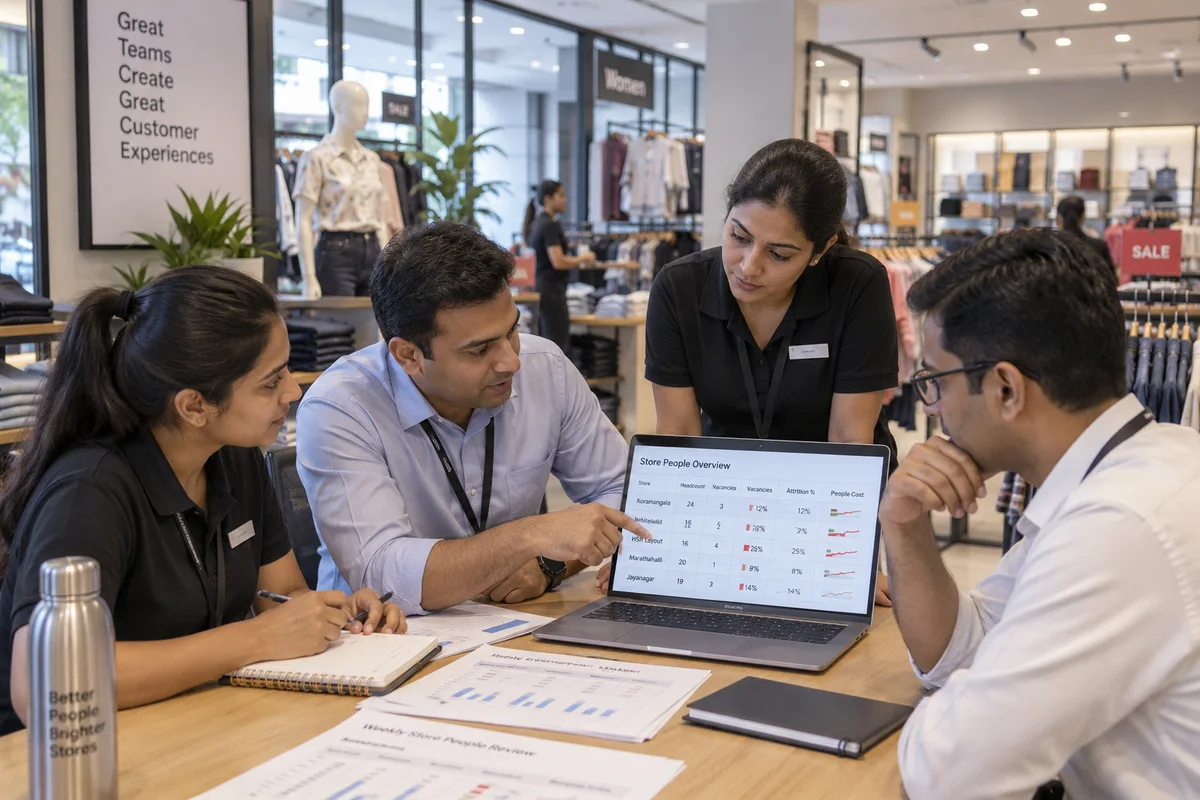
A retail head needs to see staffing, vacancies, attrition and people cost store by store, from one set of numbers, without waiting for someone to assemble them. We help you agree definitions, choose the few measures that matter, build a short pack for the retail head, area managers and store managers, and set up reporting in your system or on the GullyHR platform. Reports are short, early and used in the weekly review.
Not sure what you need? Tell us about your business in six short steps and we will come to the first meeting prepared.
Share your requirementsThe starting point
Are You Looking at the Same Numbers as Your Stores?
People data in a chain comes from stores, payroll, attendance devices and HR records, each with its own count. By the time they are put together, the week has passed, the numbers disagree and the discussion is about which one is right.
We help you build a short pack on shared definitions that people read.
You may be experiencing:
- Headcount that differs between HR, finance and the store, depending on who is counted and when.
- Averages for the whole chain, hiding both the best and the worst stores.
- Vacancies reported as a count, with no information on how long each has been open.
- Attrition measured differently by area, so comparisons are not fair.
- People cost seen only after payroll, without overtime or relief by store.
- A weekly pack built manually, and delivered late or not at all.
- Reports full of tables that store managers never read.
- No link between people measures and store sales, shrinkage or service results.
What we can help with
Our HR Analytics and Reporting Services for Retail
Definitions and Data Rules
Agree exact definitions for headcount, vacancy, joiner, leaver, attrition and overtime, including how part-time, relief, trainee and franchise staff are counted. Write them down and apply them to every report.
Measure Selection
Choose a short set of measures for each audience: store managers, area managers, the retail head and finance. Leave out anything that does not lead to a decision.
Store-wise Staffing View
Show actual cover against the norm by store, with vacancy age, relief used and stores below strength, beside footfall or sales for the same period.
Attrition and Early-leaver Reporting
Report attrition by store, role and tenure band, with early leavers separate, and add the reasons recorded. Compare like stores with like.
People Cost and Overtime Reporting
Show wage cost, incentives, overtime and relief by store and area against plan, so that area managers and finance discuss the same lines.
Hiring and Joining Reports
Track open posts, sourcing channels, time to fill, accepted offers and joiners still in post, so the hiring effort can be judged by results.
Store Performance Links
Place people measures beside store results such as sales, conversion, shrinkage and service ratings, so patterns can be examined and not assumed. We present the figures as correlation to examine, not as proof.
Pack Design and Review Rhythm
Design the one-page weekly view and a fuller monthly pack, name the owner of each number, and set the meeting at which it is read and actions are recorded.
The deliverables
What You Receive
Depending on the agreed scope, you can expect:
- A written definition sheet for each people measure.
- A measure list for each audience.
- A store-wise cover and vacancy report.
- An attrition and early-leaver report.
- A people-cost and overtime report.
- A hiring and joining tracker.
- A one-page weekly pack and a monthly pack.
- Configuration of the reports and refresh schedule in your system or on the GullyHR platform.
Step by step
How We Work
Find Out Who Needs What
We ask the retail head, area managers, finance and a few store managers which decisions they make each week and which numbers would help.
Trace the Data
We follow each number back to its source, store by store, and note where the same item is counted in different ways.
Agree Definitions and Layout
We settle definitions and sketch the weekly pack on a single page, and test the sketch with the people who will use it.
Build and Refresh
We set up the reports and their refresh, and check a few weeks of numbers against what stores say they see.
Hold the Review
We help set the weekly review, then check after a few cycles whether decisions were taken and compare with the baseline.
The difference
See Store People Data Early and Argue About Actions, Not Numbers
A short, consistent pack can help your chain:
We do not promise outcomes. We record a baseline before work starts, covering the hours spent assembling the weekly pack, the number of conflicting headcount sources and how late the pack arrives, and report against it, so you can see what changed and what did not.
- Work from one definition of headcount and attrition.
- See stores below strength, with the age of vacancies.
- Compare stores fairly on attrition.
- Watch people cost and overtime before payroll closes.
- Hold a regular review with named owners.
- Link people measures to store results.
Find your fit
Who This Service Is For
Retail Heads and Area Managers
Get a short, store-wise view for the weekly review.
Finance and HR Teams
Reconcile headcount and cost on shared definitions.
Chains with Mixed Systems
Bring together data from several sources with clear rules.
Franchise and Dealership Networks
Report on owned and partner outlets on the same basis.
Owner-led Chains
See staffing and attrition across stores on a single page.
How it usually shows up in retail
Retail HR data usually arrives from stores in different formats. Headcount differs between the HR list, the roster and the payroll register, because of part-timers, trainees, relief staff and people on notice. Attrition is quoted at chain level, seldom by store, and different people compute it differently. Vacancies are known to area managers but not recorded with their age. Attendance and absenteeism are visible in store registers and not combined. Employee cost is available by store only after payroll closes. Management looks at sales, margin and shrinkage every day and sees people numbers monthly, if at all, in a presentation that takes days to assemble. By the time it is read, the stores with the problem have moved on. Few measures have a written definition, so the same figure is disputed in review meetings.
Common challenges
Where it goes wrong in retail
Headcount differs by source
HR list, roster and payroll each show a different count.
Averages hide the stores
Chain-level attrition and absence hide where the problem is.
Vacancies have no age
Nobody sees how long a post has been open.
The pack arrives late
Data from stores is compiled by hand after month end.
A better process
What a working version looks like
- 01
Define each measure
Headcount, vacancy, attrition, absenteeism and cost, each with one written definition. See HR reporting and analytics.
- 02
Report by store and area
The same measures shown by store, so the weak stores are visible. Compare against the staffing norm.
- 03
Add the trend
Show movement over time as well as the level, with vacancy age and early leavers highlighted.
- 04
Keep the pack short
One page for the retail head with a short list of decisions, and deeper views for area managers.
- 05
Run a fixed review
A set weekly or monthly slot where the pack is read and actions are recorded. HR reports automation removes the manual compiling.
What to check this week
- Ask three people to quote the current headcount and compare.
- Look at the report for the last month and find the store with the highest turnover.
- Find the oldest vacancy and its age.
- Check where each measure is defined in writing.
- Ask how long it takes to assemble the monthly pack.
What this looks like in retail
The parts of hr analytics and management reporting that are specific to this sector, rather than general.
Retail HR Dashboard
What the retail head should see weekly.
What this coversHide
Retail HR Dashboard
What the retail head should see weekly.
What this coversHide- Headcount by store
- Vacancies and ageing
- Staffing against the agreed norm
- Attendance and absenteeism
- Roster coverage at peak
- Attrition by store
- Replacement turnaround
- Employee cost by store
- Incentive payout
- Training completion
- Conduct cases
Questions on this, in retail
Usually cover against norm by store, vacancy age, attrition by store and tenure, early leavers, overtime and people cost. We start with a few, use them for a while and add others only when someone will act on them.
By agreeing definitions: who is counted, from which date, and how part-time, relief and franchise staff are handled. Once the definitions are written down, we apply them in one report and reconcile the remaining differences.
By keeping the weekly pack to one page, naming an owner for each number and tying it to a meeting where decisions are noted. Anything that is not used in that meeting is removed.
We compare stores of similar format and size, and show context such as vacancy or refit. A raw ranking across different formats is usually unfair, and we avoid it.
Not necessarily. A well-structured report from your HR or payroll system, or from the GullyHR platform, is often enough. We configure reports and views for what you need, without promising more than the tool can do.
We set access by role. Store managers see their own store, area managers see their stores and HR and the retail head see all. Sensitive items, such as individual cases, are restricted.
Headcount against norm, vacancies and age, absence, attrition, replacement time and coverage at peak hours, by store. Keep it to one page.
Because part-timers, trainees, relief staff and people on notice are counted differently in each source. Fix one definition and use it everywhere.
A dashboard helps if the definitions and data are clean first. A simple table of store-wise measures is better than a polished screen built on disputed numbers.
The retail head and area managers weekly or monthly, with store managers seeing their own store's figures so they can act on them.
Build a People Pack That Retail Leaders Actually Use
If each meeting starts with a debate about whose number is right, begin with a one-page definition sheet and a weekly view.
Prefer to talk first? Call +91 80958 58589 or write to hello@gullyhr.com.
Book a Reporting Consultation
Tell us about your stores, the reports you use today and what you want to see.
The general method — what hr analytics and management reporting covers, the questions it answers and what an engagement produces — is the same whatever the sector, and is set out on the hr reporting and analytics page. What is above is the part that differs for retail.
To run this in a system rather than on paper, see reports, analytics and automation.
Other HR topics for retail
Where to start
Most engagements begin with a review of how this runs in your business today, then a written process and the sequence to implement it.
See all HR topics for retail, or another industry.