
Cut the Paperwork That Takes Teachers' Hours and the Office's Month
Decide what to automate in your institution's HR work, and what simple steps can do just as well. Our HR technology and automation service plans one staff record, attendance and leave workflows, visiting faculty hours, approvals and self-service for staff, then helps you set it up on GullyHR or your own system. It suits institutions where student systems are digital and staff records are still on paper.
Not sure what you need? Tell us about your business in six short steps and we will come to the first meeting prepared.
Share your requirementsThe starting point
Is Staff Administration Still on Paper While Students Are on a System?
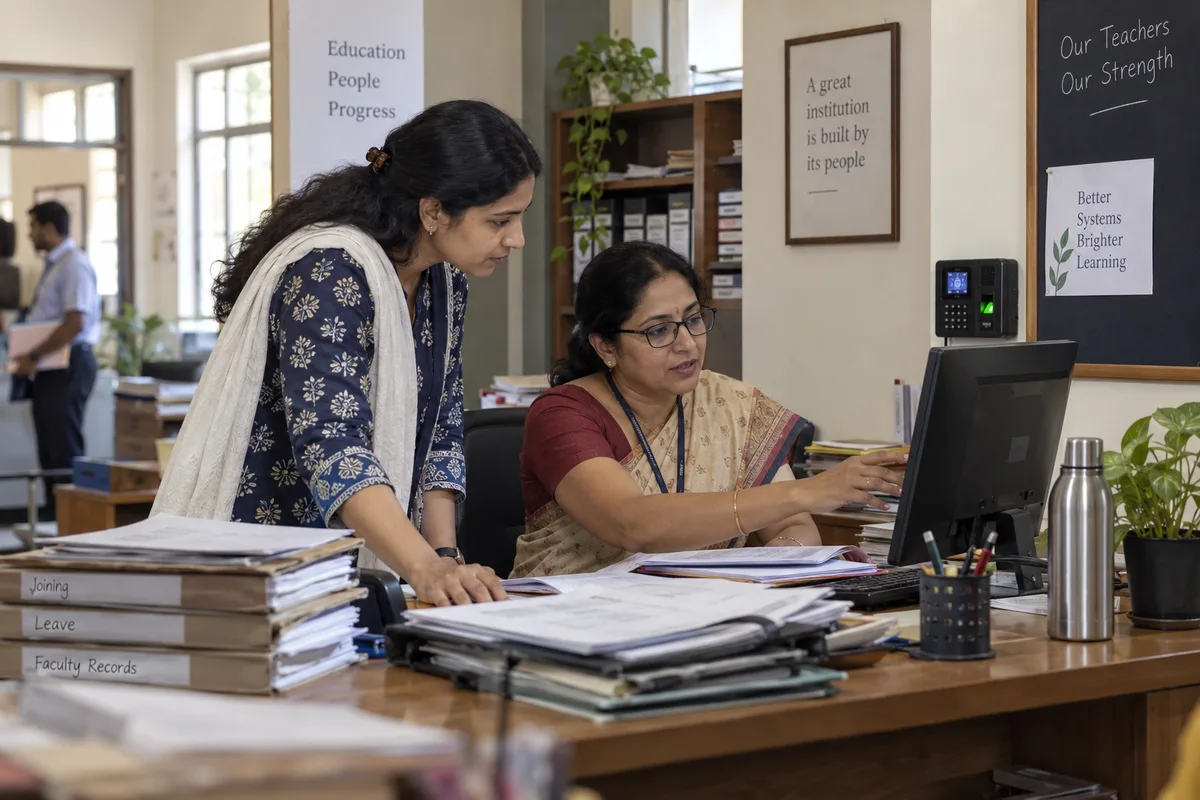
A school or college holds a great deal of administration, and teachers lose hours to it. Systems for student attendance, marks and fees are common, while staff records stay on paper. The clerk reconciles several sources each month, and a joining form travels from desk to desk.
We help you pick what to digitise first and set it up so the office can run it.
You may be experiencing:
- Student systems in place and staff records on paper, in files and in a spreadsheet.
- Attendance coming from a biometric machine, leave slips and a register, matched by a clerk each month.
- Visiting faculty submitting their hours on paper, which are totalled and approved late.
- Joining forms passed by hand, so a new teacher reaches payroll late.
- Leave, certificate and payslip requests made through the office by form or phone call.
- Approvals running on chat messages and phone calls, with no trail afterwards.
- Several people holding the same data in different files, with no single staff record to go back to.
- A process that only one clerk understands, and which would stop if that person were away.
What we can help with
Our HR Technology and Automation Services for Educational Institutions
Single Staff Record
Plan one record for each person that attendance, leave, payroll inputs, training and documents all read from, so a change is made once and appears everywhere it is needed.
Attendance, Leave and Substitution Workflows
Set up rules for teachers tied to periods and for support staff on shifts, leave types and balances, correction requests and substitution records, using the attendance data you supply from your machine or register.
Visiting Faculty Hours and Payment Inputs
Create a simple route for visiting faculty to record hours taught, for heads of department to approve and for the total to flow to the payroll inputs on the monthly cut-off.
Joining and Exit Workflows
Build the checklists for joining and exit as tasks, with owners, reminders and sign-offs, so documents, access and clearance do not rely on memory.
Approvals and Delegation
Configure approvals for leave, correction, substitution and letters with the limits and deputies you decide, and keep a trail of who approved what and when.
Self-Service for Staff
Let teachers and staff see their own leave balance, apply for leave, ask for certificates and download payslips, so the office handles fewer requests by form.
Training, Credentials and Review Records
Keep training attendance, certificate dates, observation notes and appraisal records against each person, with reminders before dates lapse.
Implementation and Data Migration
Plan how old records come across, who cleans them, how the first month runs in parallel and how staff are trained, so the system is used and not simply installed.
The deliverables
What You Receive
Depending on scope, the engagement can include:
- A map of current HR processes and where they depend on paper.
- A module plan and order of introduction.
- A staff record structure.
- Workflow designs for leave, attendance, substitution and approvals.
- A visiting faculty hours and payment route.
- A data migration plan with a list of gaps.
- A staff and office training plan.
- A review after the first month and the first term.
Step by step
How We Work
Map How Work Flows
We follow a joining, a leave request, a correction and a month of payroll inputs, and mark every handover and every place that depends on memory.
Decide What to Automate
We choose the processes where a workflow saves the most time or removes the most errors, and leave out those a simple checklist can handle.
Design and Configure
We write each workflow with its approvers, limits and reminders, and set it up on GullyHR or in your own system.
Migrate and Test
We help clean and load the existing records, run a parallel month, and fix what the office finds.
Train and Review
We train the office and staff and review after a month and a term. Before work begins we record how long routine requests take today, and report against it.
The difference
Free Up Time for the Work That Matters
A planned approach to HR technology helps your institution:
We do not promise outcomes. We record a baseline before work starts, covering how long monthly attendance reconciliation takes, how requests are handled and where records are kept, and report against it, so you can see what changed and what did not.
- Hold one record per person instead of several partial ones.
- Close attendance and leave without a long manual match.
- Receive visiting faculty hours on time and in one format.
- Keep a trail for every approval.
- Let staff answer their own routine questions.
- Reduce dependence on a single clerk.
Find your fit
Who This Service Is For
Schools
Move staff records, leave and joining into a simple system without disturbing the timetable.
Colleges and Universities
Handle faculty, non-teaching staff and visiting lecturers across departments.
Coaching Centres and Training Institutes
Manage shifts, batch-linked hours and trainers across centres.
EdTech Companies
Set up workflows for remote tutors, session-based hours and support staff.
Institutions Replacing Spreadsheets
Move from registers and files to a record with approvals and reminders.
How it usually shows up in education
A school or college has a lot of administration, and teachers lose hours to it. Student systems for attendance, marks and fees are common, while staff records are on paper. Attendance comes from several sources, such as a biometric machine, leave applications and a register, and a clerk reconciles them each month. Visiting faculty submit hours on paper. Joining forms move by hand, so a new teacher can be added to payroll late. A staff record that payroll, leave and attendance all read would remove most of the reconciliation, and most schools do not yet have one. Teachers' own requests, such as leave, certificates and payslips, usually go through the office by form rather than by phone.
Common challenges
Where it goes wrong in education
Student systems exist and staff systems do not
The school's software tracks attendance, marks and fees and leaves staff on paper. Teachers are entered in the register of a system that was designed for children.
Attendance has several sources
Biometric, leave and a register disagree, and a clerk reconciles them.
Visiting faculty are on paper
Hours and payments are tracked on forms.
Joining forms wait in drawers
A new teacher's details move by hand.
A better process
What a working version looks like
- 01
Capture one staff record
Joining details, qualifications and clearances in one place that payroll and leave read. The HR process automation work starts here.
- 02
Combine attendance and leave
One view of who was present, on duty or on leave, from the same record.
- 03
Digitise visiting faculty hours
A simple form on a phone, approved weekly and fed to payment.
- 04
Keep it simple for teachers
A phone-based tool for leave and requests. GullyHR software is built for this.
What to check this week
- Ask the accounts clerk how many sources of attendance she uses.
- Check how long a new teacher's details take to reach payroll.
- Look at how visiting faculty hours are recorded.
- Ask a teacher whether she can see her leave balance without asking.
- List the HR tasks that are repeated by copying between registers.
What this looks like in education
The parts of hr technology and automation that are specific to this sector, rather than general.
HR Systems on the Academic Calendar
Where the year, not the month, is the planning unit.
What this coversHide
HR Systems on the Academic Calendar
Where the year, not the month, is the planning unit.
What this coversHideInstitutional HR technology has to understand an academic year - terms, examination periods, vacations and a workload pattern that does not resemble a commercial calendar.
- Academic and non-academic staff handled as distinct populations
- Workload and timetable data linked to the staff record
- Qualification and accreditation records held per faculty member
- Contract and tenure dates tracked against the academic year
- Leave rules that reflect vacation and term structure
- Appointment and confirmation workflows on the academic cycle
- Statutory and accreditation reporting supported from the record
Qualification records are the highest-value item. Institutions are asked to evidence faculty qualifications periodically, and assembling that from personal files each time is avoidable work.
Questions on this, in education
Not always. A clear record structure and a checklist can solve much of it. We help you decide what to automate, and what is better left simple, before any system is chosen.
No. We can design the workflows and records for the system you already use. Where you choose GullyHR, we configure workflows, records, approvals, reminders, reports and self-service for your institution.
We look at what you use and what data you can export or supply. We do not assume a direct connection in advance. We tell you early what can be done and what would need a manual step.
We work with the attendance data you provide from the machine or register, and design the rules for corrections and approvals around it. We confirm what is possible with your equipment in the first discussion.
A small institution can start with a few processes in a matter of weeks. Larger ones need time for data cleaning and a parallel month. We agree a sequence that avoids examination and admissions peaks.
The staff-facing steps are kept short: apply for leave, see a balance, ask for a letter. We provide short guides and a session for the office, and adjust after staff have tried it.
Hold one staff record, join attendance and leave and feed payroll. It removes the monthly reconciliation and the late additions.
Yes. A short form on a phone for hours, approved weekly, is easier than paper vouchers and speeds payment.
No. HR software can sit alongside it and share the staff list, so teachers are not entered twice.
If it saves them time, yes. Leave requests, balances and payslips on a phone are what they ask for.
Anything that adds work for teachers. Start with attendance, leave and records.
Digitise Staff Administration Without Disrupting the Year
If staff records are on paper and the office reconciles attendance by hand, a clear plan can show where a system helps most.
Prefer to talk first? Call +91 80958 58589 or write to hello@gullyhr.com.
Book an HR Technology Consultation
Tell us what you use today and where the office spends the most time.
The general method — what hr technology and automation covers, the questions it answers and what an engagement produces — is the same whatever the sector, and is set out on the hr process automation page. What is above is the part that differs for education.
To run this in a system rather than on paper, see gullyhr software.
Other HR topics for education
Where to start
Most engagements begin with a review of how this runs in your business today, then a written process and the sequence to implement it.