
Put Attendance, Rosters, Approvals and Records Into One System the Floor Will Actually Use
Plant HR often runs on registers, spreadsheets, a biometric export and a group chat for approvals. Replacing that with software only works if it fits how shifts, supervisors and workers behave. We help you decide what the system must do, configure the records, attendance, roster and approval workflows, migrate your data cleanly, and train supervisors and HR to run it. We can set it up on the GullyHR platform or in your own system. You choose the platform and decide what to automate.
Not sure what you need? Tell us about your business in six short steps and we will come to the first meeting prepared.
Share your requirementsThe starting point
What Would Break If One Person Left the HR Office?
Spreadsheets and chat threads work until the one person who understands them is away. In a plant the cost shows up at once, in late payroll, wrong rosters and approvals nobody can trace.
We help you choose, configure and introduce a system around the way your plant works.
You may be experiencing:
- Employee data in several files, with no single record that everyone trusts.
- Biometric punches exported and cleaned by hand before attendance can be used.
- Overtime and shift-swap approvals given over chat and not recorded anywhere HR can search.
- A software tool bought earlier that supervisors never adopted.
- Contract workers tracked outside the main system, or not at all.
- Reports compiled each month by copying figures between files.
- Plants on different tools, so the group cannot see the whole workforce.
What we can help with
Our HR Technology Services for Manufacturing
Requirements From the Floor Up
Document what supervisors, HR, payroll and workers need from a system, starting with shift, roster and gate realities, so that the system is chosen for the plant and not for a demo.
Single Employee Record
Set up one record per person, including line, shift, grade, skills and contractor link where relevant, with owners for each field and a log of changes.
Attendance and Roster Automation
Configure shifts, rotations, weekly offs and regularisation rules, and connect your punch devices or musters so that attendance is ready for payroll without manual cleaning.
Payroll Input Workflows
Build the route by which attendance, overtime, incentive data and recoveries are collected, approved and handed to payroll by the cut-off date, in your payroll tool or ours.
Approvals and Worker Self-Service
Set up leave, swap, overtime and correction requests with approval routes by role, and let workers view their own attendance, balance and payslip on a phone or kiosk.
Skills, Training and Safety Records
Hold the skill matrix, training and authorisation records, and safety induction in the same system, so floor readiness is visible alongside attendance.
Data Migration and Clean-Up
Collect your current registers and sheets, clean and match them, resolve duplicates with HR, and load them with a check against source before go-live.
Training, Rollout and Support
Train supervisors, HR and payroll in sessions suited to shift timings, run a parallel period, and stay available for questions after launch.
Working together
How the Work Can Be Set Up
Requirements and Selection Support
We help you define needs and compare options, whether or not you choose our platform.
Configuration on the GullyHR Platform
We set up records, workflows, approvals, reminders and reports on the GullyHR platform for you.
Configuration in Your Own System
We design and document workflows to be built in the system you already use.
Migration and Rollout Only
We take on data clean-up, migration, training and the parallel run.
The scope, who does what and the commercial terms are agreed before the engagement begins.
The deliverables
What You Receive
Depending on the agreed scope, you receive:
- A requirements document written from plant practice.
- An employee record structure with field owners.
- Attendance, shift and roster rules configured.
- Payroll input workflows with cut-offs.
- Approval routes and worker self-service views.
- Training, skill and safety records in one place.
- A cleaned and checked data migration.
- Training for HR, payroll and supervisors, and a post-launch support period.
Step by step
How We Work
Map the Current Tools and Habits
We list every register, sheet, device and chat group used for HR, and who relies on each, in every plant in scope.
Write What the System Must Do
We turn the map into a short requirements list, ranked by what hurts most, which you confirm before anything is configured.
Configure and Clean the Data
We set up the records and workflows and prepare your data in parallel, checking totals against your source registers.
Run in Parallel for a Cycle
We run the system beside your current process for one month, compare attendance and payroll inputs, and correct rules that differ.
Go Live and Baseline
We train users, switch over plant by plant and record a baseline of manual steps and days to close attendance, to report against.
The difference
Replace Workarounds With a System People Trust
A system fitted to the plant helps you:
We do not promise outcomes. We record a baseline before work starts, covering manual steps in the attendance-to-payroll route, days taken to close attendance and approvals held outside the system, and report against it, so you can see what changed and what did not.
- Hold one record for each person on the floor.
- Get attendance ready for payroll without hand cleaning.
- Record approvals where they can be found.
- Let workers check their own balance and attendance.
- See contract and permanent workers in one view.
- Reduce dependence on a single person's spreadsheet.
Find your fit
Who This Service Is For
Plants on Registers and Spreadsheets
Units ready to move to a system but unsure how to fit it to shifts.
Plants With an Unused System
Management who bought software that supervisors never adopted.
Multi-Plant Groups
Businesses wanting one view of the workforce across sites.
Plants With Many Contract Workers
Teams that need contractor attendance inside the same process.
Owners Who Fear Dependence on One Person
Management wanting HR to survive an absence.
How it usually shows up in manufacturing
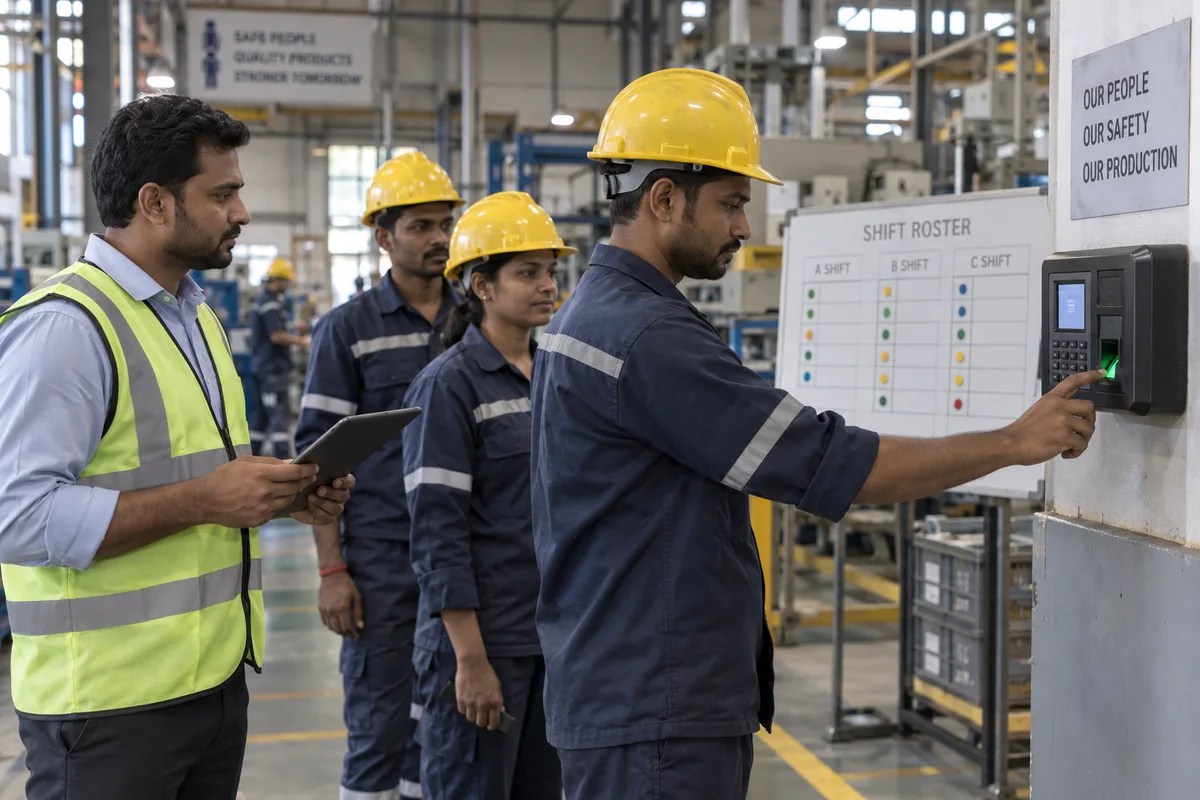
Technology in plants usually starts with a punch or biometric machine and a payroll package, and grows from there in patches. Attendance data is exported to a spreadsheet, corrected by hand, and sent to payroll. Rosters are on a whiteboard, paper or a messaging group. Employee records are in several files, and skill matrices are charts on the wall. Contractor workers are typically outside the system. Supervisors and operators do not sit at a desk, so approvals and requests move on paper and are keyed in later by the time office. Plants in a group may run different tools, so a consolidated view needs manual work. Where a system is bought, it is often implemented with the vendor's default settings, and the plant's own shift patterns, overtime rules and incentive logic are handled outside it. Data migration from old files is left until the end, when time is short.
Common challenges
Where it goes wrong in manufacturing
Data is exported and fixed by hand
Punch data moves to spreadsheets and is corrected before payroll, so errors repeat each month.
Rosters live outside the system
Whiteboards and message groups hold the real shift plan.
The floor cannot use desk-based tools
Supervisors and operators are not at a computer, so approvals reach the system late.
Plant rules are left outside
Shift patterns, overtime and incentives are handled in side sheets and not in the system.
A better process
What a working version looks like
- 01
Write what the plant needs before choosing
Shift patterns, overtime rules, incentive logic, biometric devices, contractor workers and multi-plant reporting, in plain terms. The HR process automation approach starts with this list.
- 02
Digitise attendance, roster and leave together
One flow from punch to roster to payroll input, with exceptions handled daily. See the attendance, shift and leave software.
- 03
Make approvals work from the floor
A kiosk, a mobile or a supervisor desk on the shop floor, so approvals do not wait for the office.
- 04
Bring contractor workers into the records
Capture contract workers' entry, exit and skills in the same system, with a tag for the contractor.
- 05
Plan the data move as a project
Clean and migrate employee, skill and leave data early, and run the old and new systems side by side for one cycle.
What to check this week
- Trace one day of attendance from the punch to the payroll input.
- Ask where the real roster for next week is kept.
- Check how a supervisor approves a swap while on the line.
- Find whether contractor workers are in any system.
- List the plant rules that are handled in side spreadsheets.
What this looks like in manufacturing
The parts of hr technology and automation that are specific to this sector, rather than general.
HR Technology for Plants
Records that survive shifts, supervisors and sites.
What this coversHide
HR Technology for Plants
Records that survive shifts, supervisors and sites.
What this coversHide- Employee database
- Biometric and gate integration
- Shift rosters
- Attendance and overtime
- Leave
- Contract labour records
- Skill matrix
- Payroll inputs
- Performance
- Training records
- Safety records
- Employee self-service
- Plant HR dashboards
Questions on this, in manufacturing
No. We can configure the platform for you, or design the workflows and records for the system you already use. We say plainly when a requirement is better met elsewhere.
They will if it saves them effort, is in their language and fits their shift. We design the screens and approvals around what a supervisor does at the line, and test with them before launch.
Often, through an export or a connection, depending on the make and model. We check your devices early and tell you if any cannot be connected, so you can plan around it.
We set access by role, so supervisors see their team and payroll sees what it needs. Data protection obligations that apply to you should be confirmed with a qualified professional, as GullyHR does not give legal advice.
We keep the record structure documented and the data exportable, so you can move it. Agreeing export arrangements before you start is part of sensible selection.
It depends on the number of plants, the state of your data and the devices involved. We give you an estimate after the requirements stage, and the first plant usually shows what the rest will need.
Start with attendance, shift roster, leave, overtime and payroll inputs working together with the punch devices, then add employee records, skills and training. Fit to your shift and incentive rules.
Provide shop floor access, such as a kiosk, a shared desk or a simple mobile screen, for approvals and roster changes. Keep the screens short.
Yes, if you enter their entry, exit, skills and contractor in the same records. It helps with safety, billing checks and knowing who is on site.
Clean it first, migrate in stages and check a sample against paper records. Run the old and new systems together for a cycle before switching off the old one.
Often because plant rules were left out and workarounds returned. Include the shift, overtime and incentive logic from the start, and train supervisors.
Build the System Around Your Shifts
Tell us what you use today and where it fails, and we will discuss what a workable system would look like for your plant.
Prefer to talk first? Call +91 80958 58589 or write to hello@gullyhr.com.
Discuss Your System Needs
Share the tools you use now and what you want to automate.
The general method — what hr technology and automation covers, the questions it answers and what an engagement produces — is the same whatever the sector, and is set out on the hr process automation page. What is above is the part that differs for manufacturing.
To run this in a system rather than on paper, see gullyhr software.
Other HR topics for manufacturing
Where to start
Most engagements begin with a review of how this runs in your business today, then a written process and the sequence to implement it.