





Industries
Why software employees leave and how to understand why
Engineers and product staff leave for reasons beyond salary. How to run an exit conversation in a software company, read the pattern and act on it.
6 min readRead articleA repair shop earns from technicians' hours and customers' trust in their data. The team is small, and the owner is the best technician, which caps what the shop can take.
Make this work for your business. Share your team size, priorities and what you need help with. We’ll use your brief to prepare for the first conversation.
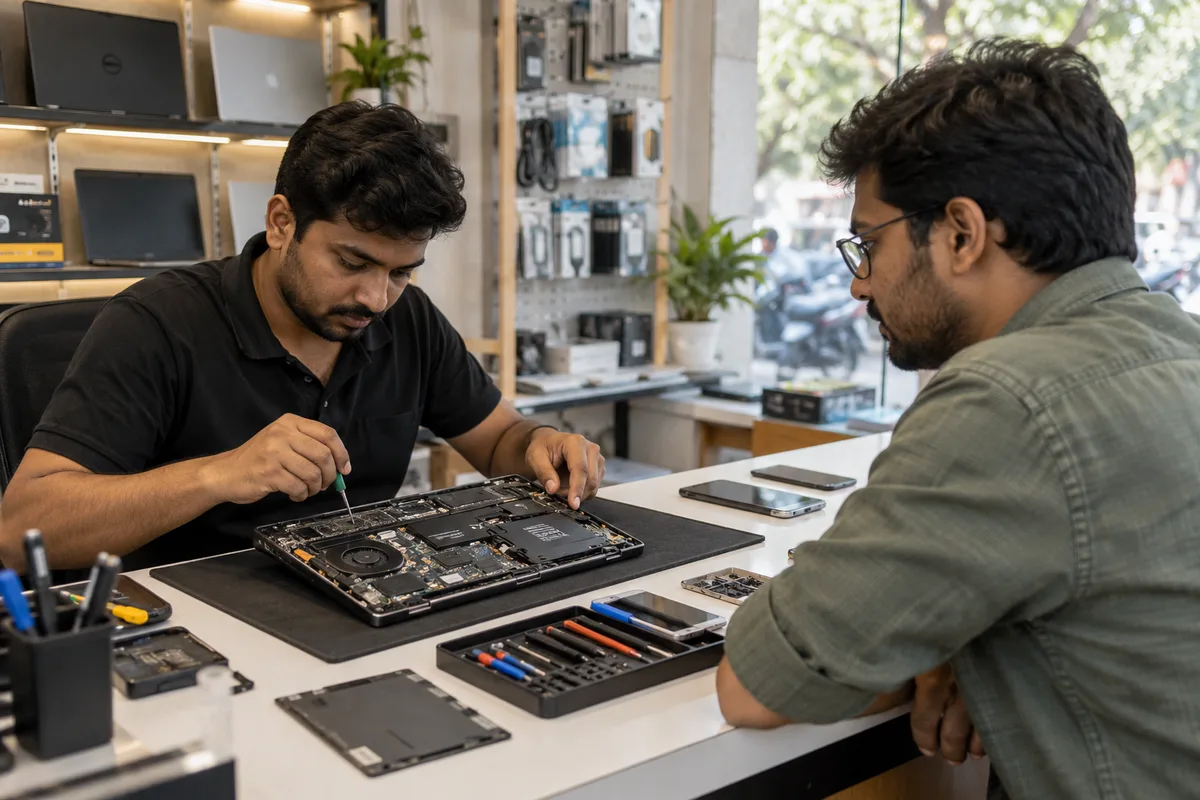
Share your requirementsA computer repair shop fixes laptops, desktops, printers and sometimes phones for walk-in customers, homes and small offices. Some also sell parts, accessories and service contracts, and a few send technicians on site visits. The team is small: bench technicians, a counter person, someone for parts and billing, and the owner. Customers leave devices holding photos, accounts and business files, so care and honesty are the real product. Work is uneven, with a rush after exams, launches or a virus wave, and technicians learn mostly by doing. See also HR for IT and software.
These are the places the people side of this kind of business tends to give way. The rest of this page works through them.
Why GullyHR for computer repair shops
For repair shop owners who are also the best technician. What changes is a customer data rule, a job card for every device and levels that let other technicians take the hard repairs.
Staff are told what a technician may open, copy or keep on a customer's laptop, because care and honesty with photos, accounts and business files are the real product.
Each device gets a card with a promised date and an owner, so units stop ageing unnoticed on the shelf and counter staff can answer a caller.
Levels from bench technician to chip-level specialist, with one written incentive, move the hard repairs off the owner and end quarrels about how pay was worked out.
Counter staff rehearse the angry customer, the bad news about a dead drive and the quote that is higher than expected, so they stop dreading the shop door.
Start with any one of these. Scope and fee are agreed in writing after a free first conversation.
The audit begins at the bench and the shelf. We count repairs that go to the owner or one technician, then walk the shelf to see whether each device has a job card and a promised date. We read last month's incentive working and ask technicians if they agree. We ask what technicians have been told about customer files and listen for variation. Counter and parts staff are interviewed on the conversations they dread and the stock they cannot find. Findings come back as a short list of what holds the shop at its current size.
What you receive
An example, not a client storyPicture a shop where a customer calls about a laptop left two weeks ago and no one can find it. The audit locates six devices without cards. The owner sees the shelf and the counter as one process and can fix it by writing a card rule, not by shouting.
How the hr audit works →Process design starts at the counter and ends at collection. We write the job card flow: intake with a photo and a data note, a promised date, bench assignment, a quote check, a status call to the customer and a signed collection. Second is the customer data rule: what may be opened, what may be copied and what must be refused. Third are the technician levels and the incentive that rewards skill, quality and turnaround. We test each on live jobs and revise with the technicians.
What you receive
An example, not a client storySay a technician copies a customer's folder to test a recovered drive and leaves it on the bench machine. A data rule saying what may be copied and who deletes it would have prevented the slip. The customer's files stay private and the owner can say so. The owner can show the log to the customer.
How the hr process design works →Week to week we check that every device on the shelf has a card and a date, and that the bench load is spread across technicians rather than waiting for the owner. We review the incentive working for the week and settle any dispute before it spreads. A short session with the counter team covers the hard calls of the week. Learning slots are kept, and we note which technician is ready for harder repairs. The owner receives a plain note on risks, rework, upcoming rushes and what to prepare.
What you receive
An example, not a client storySuppose exam season is approaching and the shop will be flooded with laptop screens and charger faults. Weekly oversight prompts the owner to book extra bench time and move a junior onto the simple repairs. The counter team is briefed on the likely questions before the first customer arrives. The owner hears it first.
How the hr management works →The hard roles to fill are chip-level repair specialists, data recovery technicians who can be trusted with private files and counter staff who stay calm with an angry customer. We write each role around the shop's actual jobs and customers. Selection uses a short bench test for technicians, a role-played difficult customer for counter staff and a conversation about the data rule for everyone. Each panel member scores on the same sheet, and the notes are kept so a fair explanation can be given to anyone who was not chosen.
What you receive
An example, not a client storyTake a shop that hires a fast technician who opens a customer's personal photos while testing a laptop. A conversation about the data rule in selection would have shown how he thinks about privacy. With the same questions for every candidate, the owner can compare honesty as well as speed.
How the recruitment for permanent roles works →Training is built into the week. Counter staff practise the angry customer, the dead drive and the quote that shocks, using real scripts from the shop. Technicians practise writing a fault note a colleague can follow and handling a customer's files within the rule. The owner learns how to hand over a hard repair, explain what good looks like and review the result without taking it back. A weekly slot gives each technician a chance to learn a new repair from someone on the bench and to teach in return.
What you receive
An example, not a client storyPicture the owner who always takes the motherboard repairs because nobody else is allowed. A handover routine gives him a way to teach and check. After a few weeks a technician takes the repair on alone, and the owner is free to deal with customers and parts. Customers also notice the steadier hands at the counter.
How the manager and team training works →We write the customer data rule, the job card rule, the technician levels with their incentive, the counter conduct guide and the rule for on-site visits. Each is brief and plain, and linked to a form where one is needed. Software holds technician sign-offs by repair type, hours, leave and the incentive working so disputes can be checked. Employment, shop and data-handling duties are confirmed with the shop's own adviser, who tells us what must be in writing. Staff sign each page when it is issued and again when it changes.
What you receive
An example, not a client storySay two technicians compare notes and discover they were paid differently for the same repair type. A written incentive with worked examples would have settled it in a minute. The owner explains it once, and the quarrel never reaches the counter. The owner keeps the page for next time. Staff follow it without asking.
How the policies, handbook and hr software works →We write technician levels with a skill sign-off for each repair type, and a handover routine where you teach, check and release the work. Each technician moves up when signed off. Your own adviser confirms any change to titles or pay that touches contracts before staff are told. We also write how that handover is signed off.
It says what a technician may open, copy or keep, what must be refused, who deletes test copies and what the customer is told. We write it with your staff and rehearse it. Your own adviser confirms the data-handling duties that apply to your shop before it is issued. Staff are told why each line exists.
Yes. We write one plain incentive with worked examples, check last month's pay against it with technicians and fix gaps. The numbers remain your decision. Your own adviser confirms how any pay element is described in contracts, and the working is shared with staff so they can check it themselves. Technicians see the working first. They also get a copy.
No. We do not supply contract staff. We recruit permanent technicians, counter and parts staff, using a bench test and one scoring sheet for every candidate. Your own adviser confirms offer terms and any checks, and we help you plan hiring around the exam and launch rushes. The plan is agreed with you first. Candidates see the process first.
GullyHR runs talent acquisition for permanent roles in computer repair shops. For each role we agree the job description with you, find and screen candidates against it, and support the offer through to joining. Tell us the role and the number of people, and we start there.
We recruit permanent employees. We do not supply contract or temporary staff.
Board-level and data recovery jobs wait for the owner or one senior technician, which limits how many devices the shop can take.
A technician who knows the customers and the parts dealers sets up nearby, and the shop has trained its own competition.
Devices are opened, imaged and tested with little rule on what staff may view, copy or keep.
Laptops sit with no clear note of who holds them or what was promised, so customers phone and staff scramble.
The person at the counter gives bad news on cost and delay with no training in how to say it.
Fixed pay, per-repair incentive and a share on parts blur together, and technicians argue about who earned what.
New models and fault types keep arriving, and a technician learns them only if the job happens to cross the bench.
Start with the topics that matter most here: Compensation, Payroll and Benefits; Learning and Development; Employee Administration. Then work through the rest. Each topic is written for information technology and software, not in general.
Salary structure, payroll inputs and a month that closes on time.
Training planned from need rather than from the calendar.
Records, attendance, leave and the day-to-day HR that must simply work.
How many people, in which roles, by when, and what they will cost.
Structure, reporting lines and who is allowed to decide what.
Requisition to joining, the same way every time.
A first day that is the same for the fifth joiner as the first.
Goals, reviews and ratings that hold up in a conversation.
Named backups for the roles that cannot be vacant.
Communication, recognition and the conditions people actually work in.
Two routes, one for complaints, one for conduct, kept separate.
Policies a manager can apply, and obligations with owners and dates.
Induction, records, incident reporting and follow-through.
Who leaves, when, why, and which of them mattered.
Resignation to relieving letter, in a defined order.
Records that survive people, and approvals that do not queue.
A short monthly pack management actually reads.
An HR function that runs the same way every month.
The pieces a computer repair shops business puts in place, in an order that makes each easier. Open any card for the detail.
What technicians may open, copy or keep, how recovery work is handled and what follows a breach, explained to every new joiner.
What technicians may open, copy or keep, how recovery work is handled and what follows a breach, explained to every new joiner. The HR policies service helps frame it.
Who received it, the fault, the estimate, the technician and the promised date, so anyone at the counter can answer a customer.
Who received it, the fault, the estimate, the technician and the promised date, so anyone at the counter can answer a customer.
Levels from basic repairs to board-level work, with a written, checked repair incentive.
Levels from basic repairs to board-level work, with a written, checked repair incentive. Compensation rewards covers the options.
Short drills on explaining cost, delay and unrepairable faults.
Short drills on explaining cost, delay and unrepairable faults. The customer-service skills programme fits here.
A short session where technicians share a tricky fault and its fix, with a plan to teach the next person, tracked in the learning and development process.
A short session where technicians share a tricky fault and its fix, with a plan to teach the next person, tracked in the learning and development process.
Confirm with a qualified professional. What applies to you depends on your business, your state and your arrangements, and it changes. This page describes practice. It does not state a legal position.
A short written rule on customer data and device handling that every technician and counter person knows.
A clear mix of fixed pay and repair incentive that technicians accept as fair.
Practice for counter staff on explaining cost, delay and bad news.
A simple way to build technician skills so the owner is not the only expert.
Start with a free conversation, or see the paid HR Diagnostic.
Understand the business, its workforce, current processes and HR challenges.
Find the missing, weak, inconsistent or person-dependent processes.
Create the structure, processes, policies, SOPs, dashboards and systems needed.
Help HR and department managers actually adopt the new system.
Digitise repetitive and approval-based workflows where it is worth doing.
Track hiring, attendance, employee cost, performance, training and attrition.
Strengthen the people-management system continuously, not once.
From the GullyHR blog: one on HR in information technology and software, and one on each of the topics this page points to.

Engineers and product staff leave for reasons beyond salary. How to run an exit conversation in a software company, read the pattern and act on it.
6 min readRead article
Simple variable pay structures for product and engineering teams: four options, why individual metrics backfire, a build plan and a one page outline to adapt.
6 min readRead article
A founder's guide to hiring freshers and running a first-year programme: campus or open drives, a screening round, a training plan by quarter, mentors and checkpoints.
6 min readRead article
Payroll says one joining date, the personal file says another and the manager remembers a third. How to establish a single trustworthy employee record and keep it that way.
7 min readRead articleMore on the GullyHR blog.
You cannot always, but you can lower the chance. Offer a real path in pay and responsibility, share credit with customers and consider fair written terms for after leaving, checked by a qualified professional.
Some shops mix fixed salary with a per-repair incentive. Keep the formula simple, written and linked to quality, such as repeat faults, so speed alone is not rewarded.
That files and accounts belong to the customer, that nothing is opened or copied without need, and that a breach has consequences. Write it down and explain it on day one.
Pick one or two technicians, teach the next level in stages and record the fixes. Give them the added pay and title that go with it.
You need the basics: clear roles, written pay terms, leave and attendance records and a way to handle problems. They are small tasks that prevent large disputes.
We would ask which repairs only you or one technician can do, whether every shelf device has a job card, and what technicians may do with a customer's files. A data rule with a job card habit is a good opening job, small enough for a team of a few. Terms are agreed in writing afterwards.
All 61 business types in information technology and software · Find another business type
See all HR topics for information technology and software, or another industry.
Tell us your industry, team size and the issue you want to address. Bring one example of where work gets delayed or ownership is unclear, and the deadline or decision you are working towards.